Sign a PDF online free without uploading it
Create a visual signature, place and size it on the page, then save the signed appearance into a new PDF without uploading the document.
 Open PickPDF
  Add to Chrome
Quick answer
Sign a PDF online free without uploading it
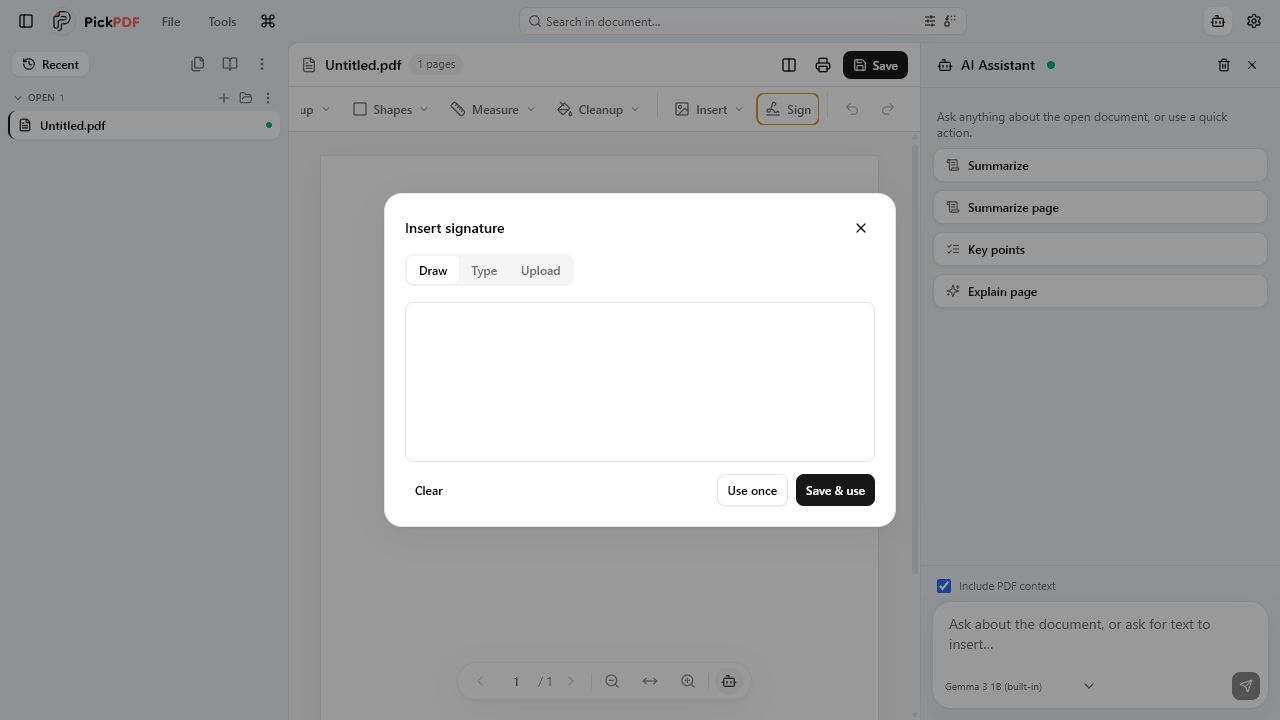
To sign a PDF in PickPDF, open the signature tool, draw your signature, type it in a script style, or upload a signature image. Place the saved signature on the page, resize it, and save the PDF. PickPDF also offers certificate signing with a P12 or PFX file for workflows that require a cryptographic signature.
Step by step
How to use this tool in PickPDF
Open the signature tool
Open the PDF and choose Signatures from the insert controls or sidebar.
Create the signature appearance
Draw with the pointer, type a name in a script style, or select a PNG or JPEG image. Save it for reuse on this device if needed.
Place and size it
Click the target page, then move and resize the signature. Add a date or name with the text tool when the form asks for it.
Save and confirm
Save a copy, reopen it, and check the signature position at normal zoom and print scale.
Current capabilities
What the current PickPDF build supports
- Drawn signatures
- Typed signature styles
- Uploaded signature images
- Reusable local signature assets
- Move and resize before save
- P12 and PFX certificate signing path
Visible signatures and digital signatures are different
A drawn, typed, or uploaded signature creates a visible mark on the page. It works for forms that ask you to place a signature image, but the mark alone does not prove who held a certificate or whether someone changed the file later.
A certificate signature uses a private key stored in a P12 or PFX file. PDF viewers can use that signature to check document integrity and certificate details. The recipient, organization, and jurisdiction decide which type they accept.
Creating a clean signature appearance
Use a dark pen on a plain background for a drawn or photographed signature. Crop excess space before upload so the visible mark fills its placement box. Avoid screenshots that include form lines or other document text.
Zoom in while you size the mark, then return to page view to check its relationship to the signature line, printed name, and date field. Keep the mark inside the intended field.
Saving reusable signatures
PickPDF can retain signature assets on the device for later use. Anyone with access to that browser profile or computer may be able to place a saved appearance, so use operating-system access controls on shared machines.
A saved appearance offers convenience, not identity verification. Use certificate signing or an approved signing service when the process requires audit trails, identity checks, or managed delivery.
Local document handling
PickPDF places the signature and saves the PDF on the device. The visual-signature workflow does not require a file upload or an account. A downloaded copy keeps the original source available.
Review the final PDF in another viewer when the recipient uses a strict document system. Confirm that the signature remains visible and that certificate validation behaves as expected for digitally signed files.
Common questions
Questions about sign a pdf online free without uploading it
Is a typed or drawn signature a digital certificate signature?
No. It is a visible signature appearance. PickPDF has a separate P12 or PFX certificate-signing path for cryptographic signing.
Can I reuse a signature?
Yes. PickPDF can save signature appearances on the device. Protect the browser profile or computer if other people use it.
Does PickPDF send the PDF to a signing server?
The local signature placement workflow runs on your device. It does not provide remote routing, signer invitations, or a hosted audit trail.