Free PDF tools for editing, OCR, redaction, and more
Choose a task and see how PickPDF edits, converts, reviews, or protects the document on your device. The browser editor requires no file upload or account.
PickPDF processes PDF content on your device. Some tools rewrite page objects, some add annotations, and others create a new document from selected pages or source files. The descriptions below state which operation each tool performs and where you should review the output.
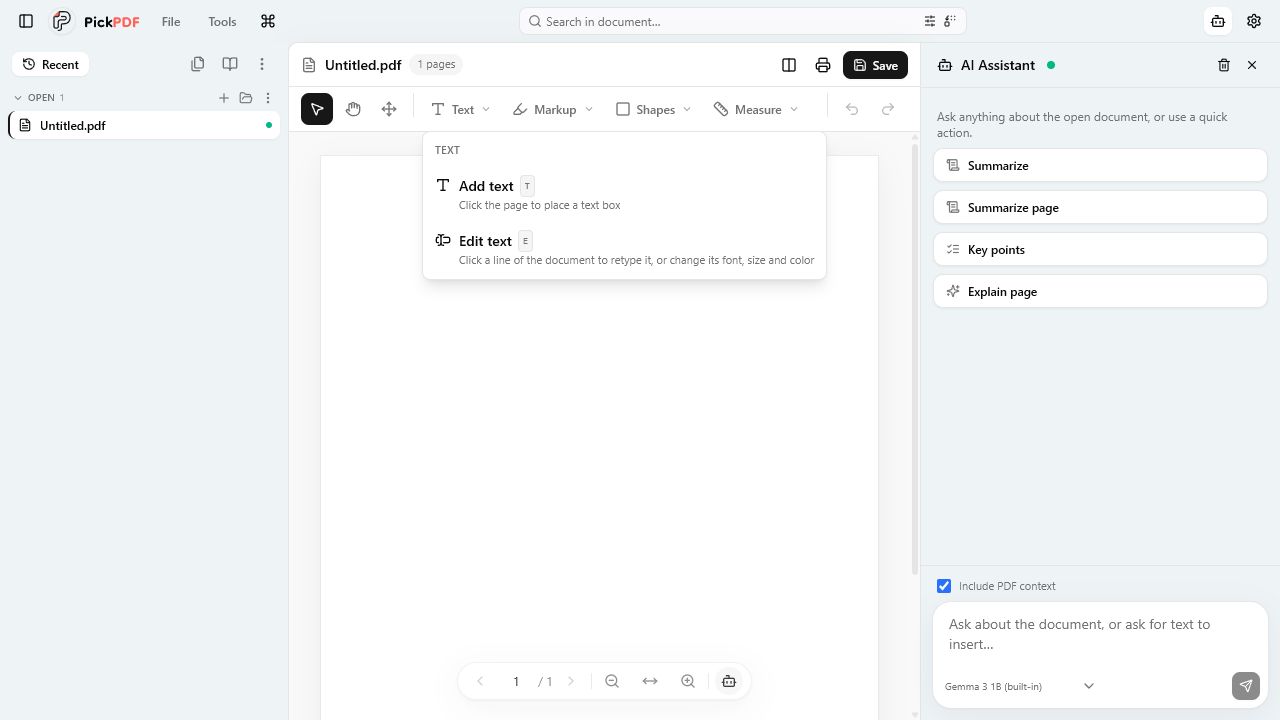
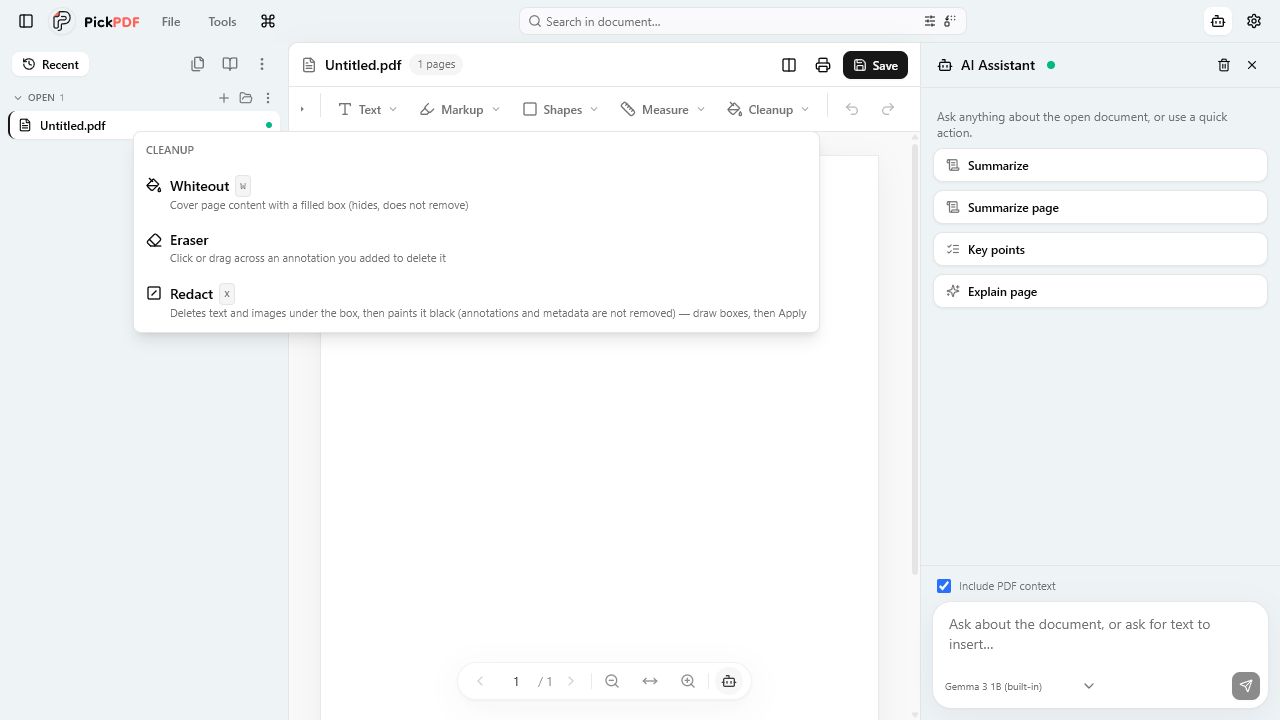
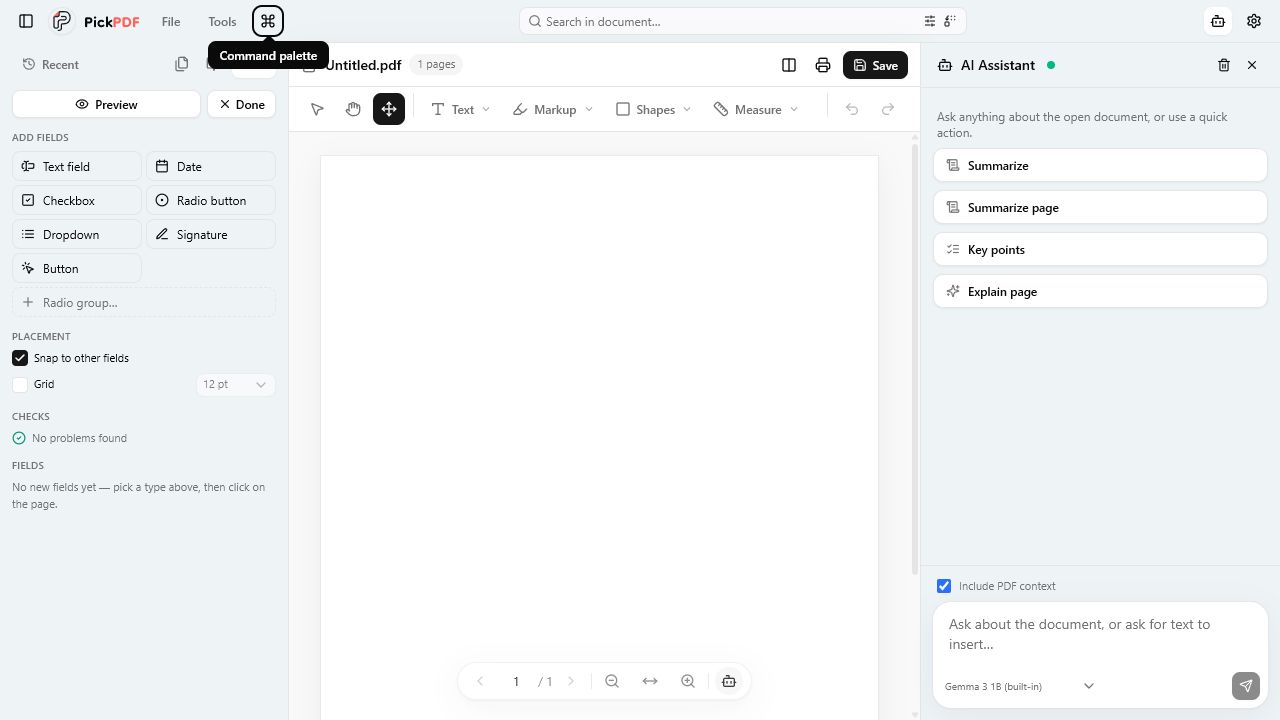
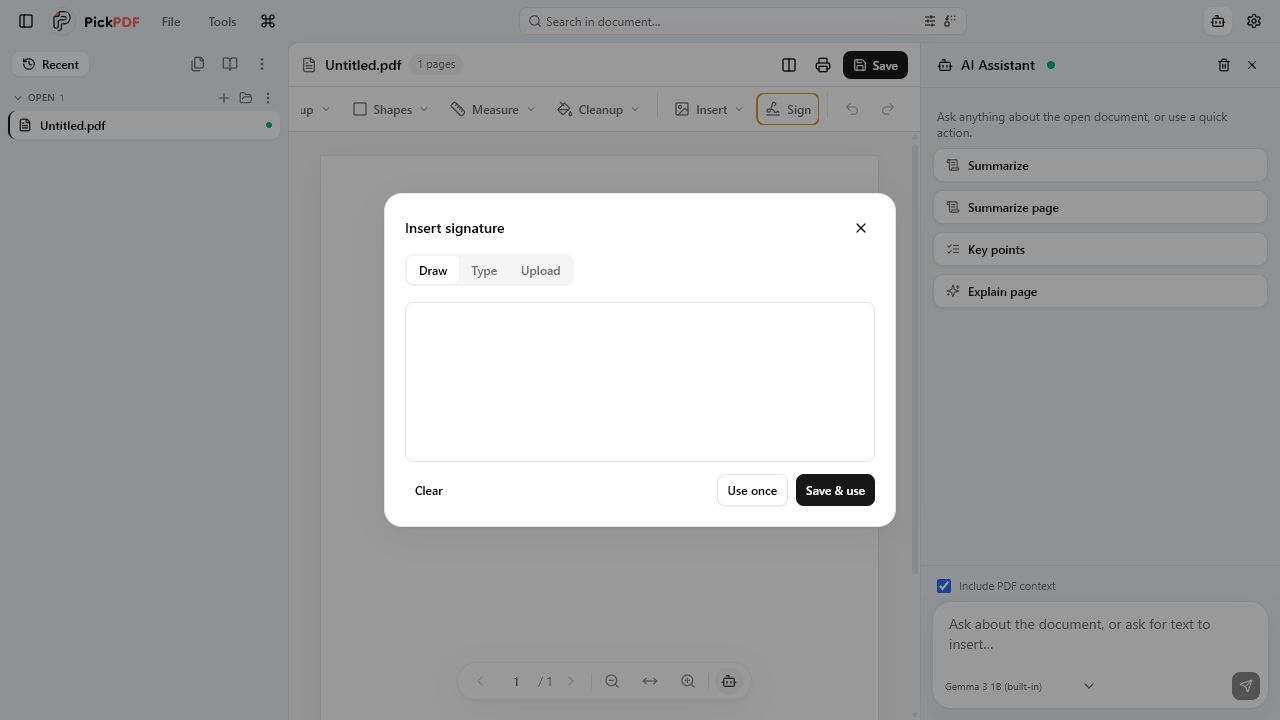
Current app interface
See the controls before you open a file
Each capture comes from the current PickPDF web app. Open a guide for the full workflow and file-level limits.
Work with page content, annotations, forms, signatures, and review marks from one document view.
Edit existing PDF text
Retype text that already exists in the PDF.
PickPDF uses PDFium to rewrite the selected text object in its page content stream. You can edit a line, paragraph, or contiguous block. The source font controls which replacement characters the run can support.
Place new text boxes and image stamps anywhere on a page.
You place and style an overlay in the live editor. PickPDF embeds the added content into the saved PDF. Added text remains separate from the source text object.
Move, resize, recolor, or delete text, images, and vector shapes.
The Edit objects tool selects real page objects through PDFium. PickPDF previews the change during the drag and writes it on the same undo timeline as other edits.
The toolbar creates positioned annotations with color, stroke, fill, and size controls. PickPDF bakes supported additions into the saved document and writes comments as PDF annotations.
Add sticky notes or clickable regions for URLs, email, phone numbers, and page jumps.
A comment becomes a native popup annotation on save. A link stores its target in a clickable page rectangle. Current PickPDF builds write comments but do not re-import saved comments on reopen.
Measure distance, perimeter, and area after calibrating against a known length.
You calibrate the page scale, choose units, and place measurement points. PickPDF calculates the result from page coordinates and stores the measurement markup with the document edits.
Remove covered text and images instead of hiding them.
PDFium deletes page content under applied redaction boxes, then PickPDF paints the visible black area. The tool does not remove annotations or metadata, so those need a separate review.
Place a drawn, typed, or uploaded signature appearance.
PickPDF stores the appearance on the device, lets you place and resize it, and embeds it in the saved PDF. A separate P12 or PFX workflow supports certificate signing.
Complete existing fields or create a reusable fillable PDF.
PickPDF reads and writes AcroForm text, checkbox, radio, and dropdown fields. PDFium regenerates field appearance streams during save so values show in other viewers.
Assemble pages, create new PDFs, extract content, and prepare files for delivery or archiving.
Organize pages
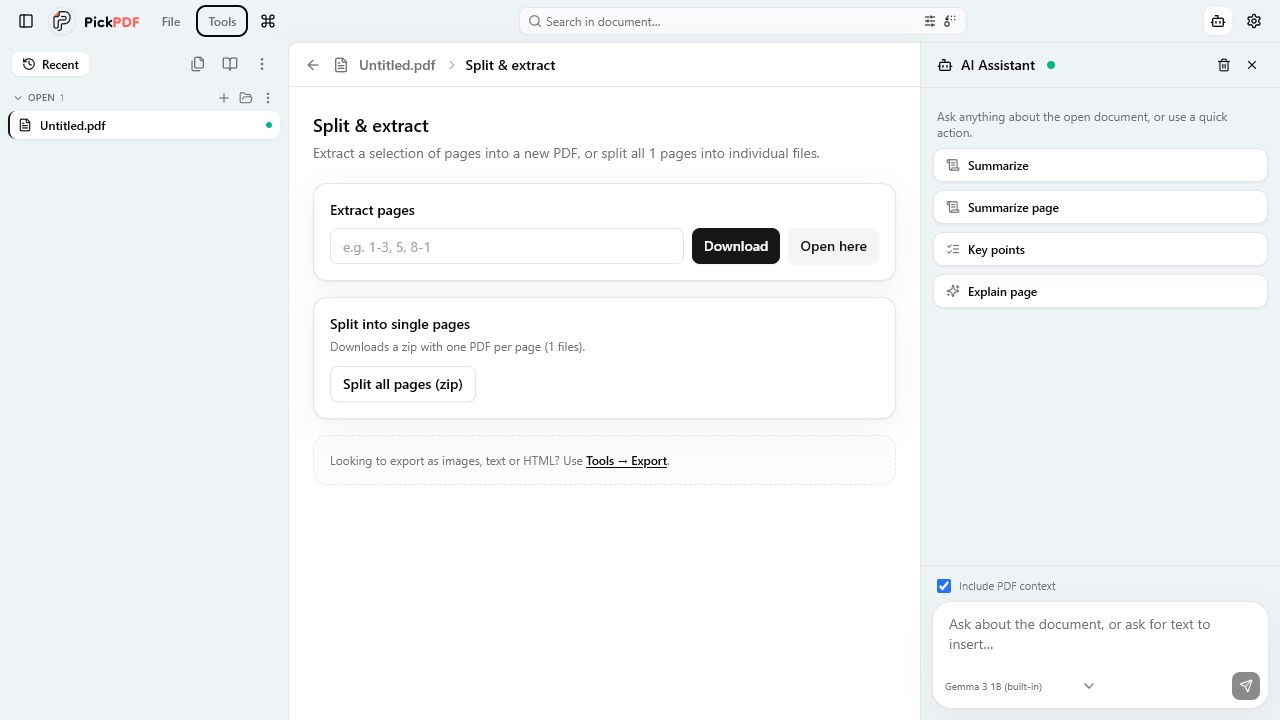
Reorder, rotate, duplicate, delete, extract, or insert pages.
PickPDF shows page thumbnails and applies each action to the open document. You can insert blank pages or pages from another PDF, then save the revised order.
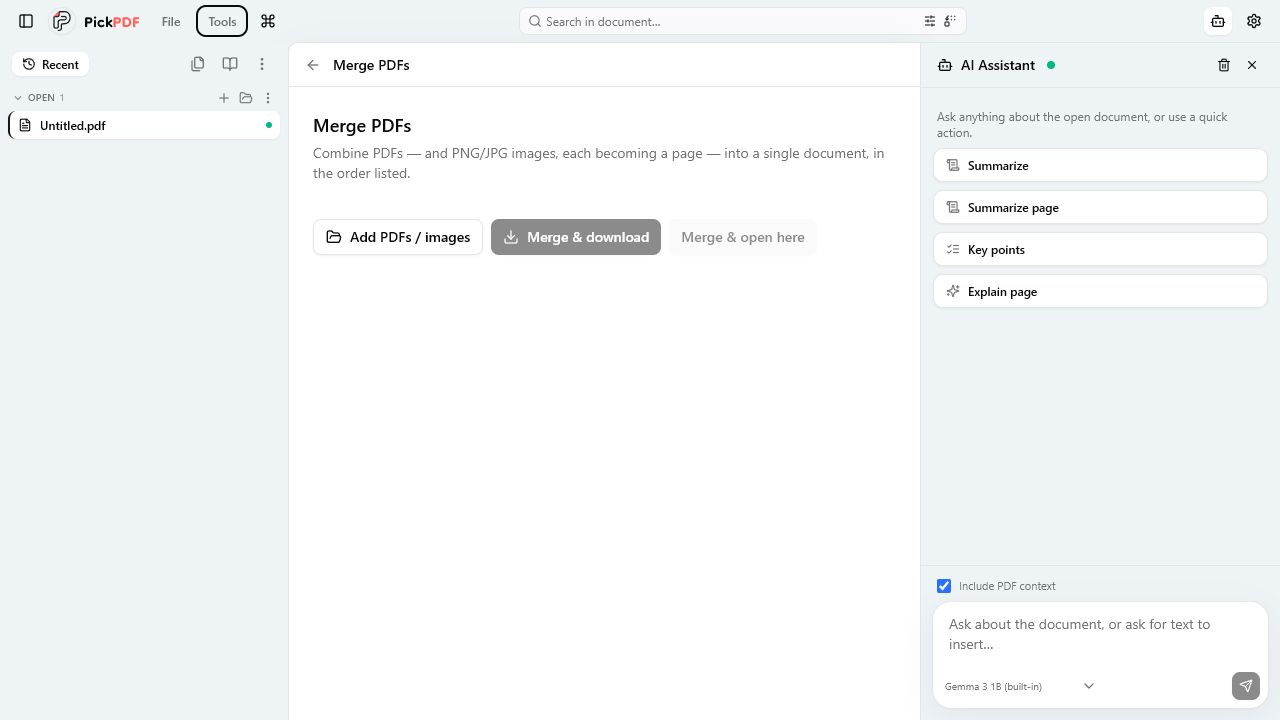
Combine PDF, PNG, and JPEG files into one document.
PickPDF copies PDF pages in list order and turns each image into a page. The app assembles the new document in local memory and leaves the source files unchanged.
Create a PDF from DOCX, TXT, Markdown, or plain-text content.
PickPDF reads the source on the device and typesets supported text into PDF pages. Complex Word layout may not match the original document, so review the generated pages.
You drag a crop box on a page preview and apply it to one page, a range, or the full document. Cropping changes the visible page box and can hide content outside that box.
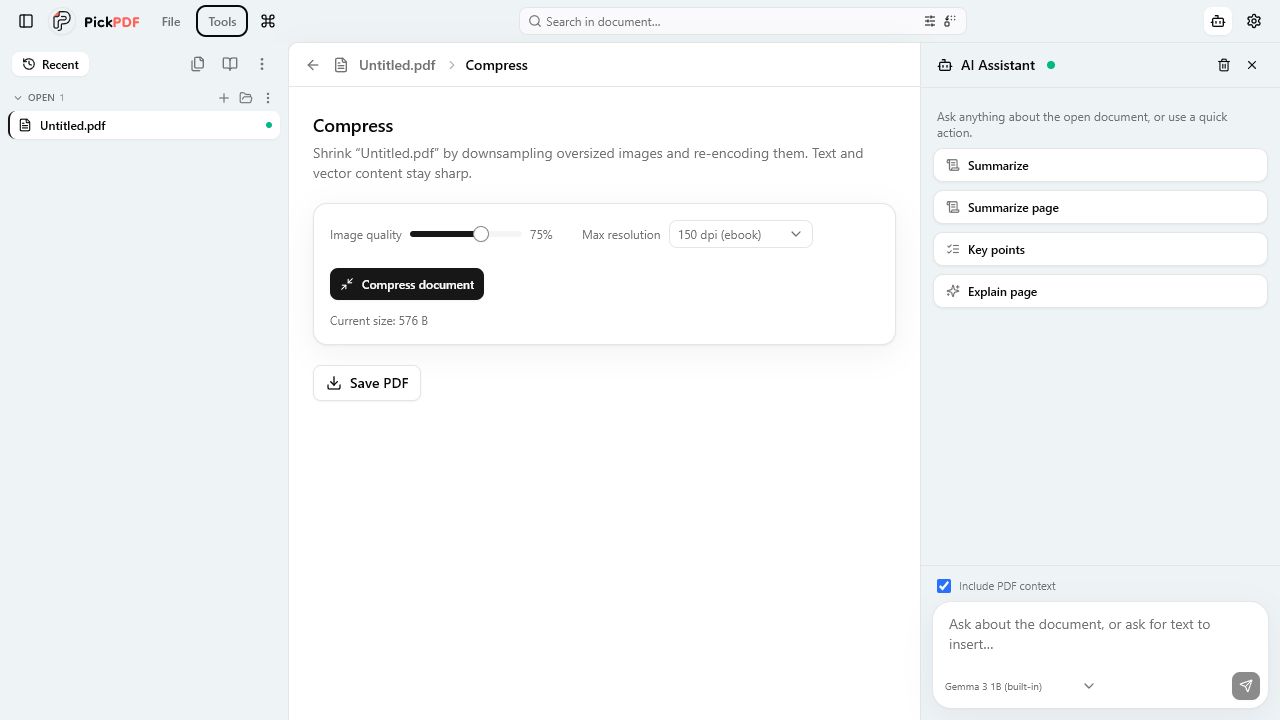
Reduce file size by downsampling oversized page images.
The compressor checks effective image DPI, resizes images above your target, and adjusts JPEG quality. It leaves PDF text and vector graphics untouched.
Check a document against a PDF/A-2b-oriented baseline.
The preflight reports encryption, font, transparency, JavaScript, attachment, XFA, metadata, OutputIntent, and annotation findings. It is a screening check, not formal certification.
Set open and permissions passwords or create a PickPDF-locked wrapper.
Standard protection uses AES-256 PDF encryption and separate open and owner permissions. Lock to PickPDF encrypts the real document inside a wrapper PDF for controlled opening in PickPDF.
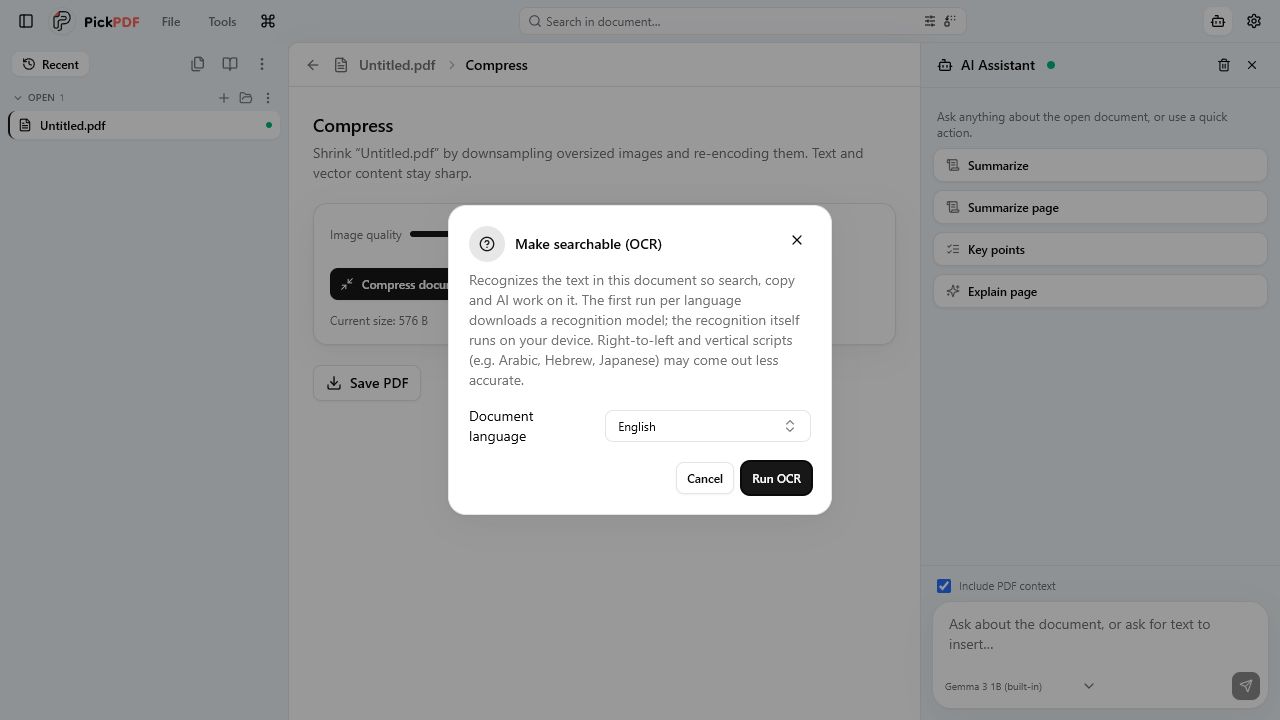
Summarize, explain, rewrite, translate, and ask questions about document text.
The built-in model downloads once and runs through Transformers.js on the device. You can also choose Ollama, LM Studio, or an OpenAI-compatible endpoint, which receives the text context you send.
 Open PickPDF
  Add to Chrome