Split a PDF online free or extract selected pages
Choose page ranges, create one smaller PDF, or download every page as a separate file without uploading the document.
 Open PickPDF
  Add to Chrome
Quick answer
Split a PDF online free or extract selected pages
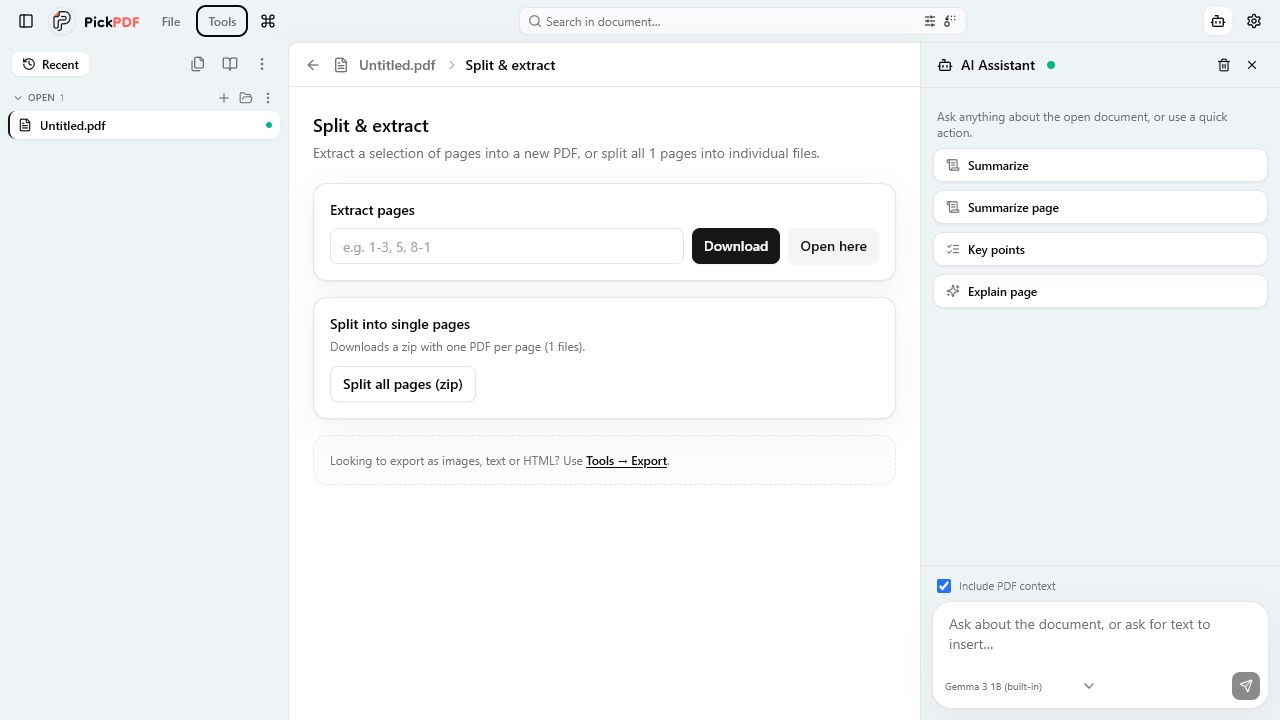
To split a PDF in PickPDF, open the document and choose Split and extract. Enter pages such as 1-3, 5, 8-10 to create one extracted PDF, or split all pages into separate PDF files in a ZIP archive. PickPDF reads and writes the pages on your device.
Step by step
How to use this tool in PickPDF
Open the source PDF
Check the page count and use thumbnails to identify the first and last page of each section.
Choose ranges or single-page output
Enter comma-separated pages and ranges for one extracted file, or choose the option that splits every page.
Create the files
PickPDF copies the selected pages into a new PDF. A full split packages individual PDFs in a ZIP file.
Check page context
Open the output and confirm that section headings, signatures, appendices, and blank separator pages stayed with the intended section.
Current capabilities
What the current PickPDF build supports
- Page and range syntax
- Multiple non-contiguous ranges
- Single extracted PDF
- All-pages split to ZIP
- Local page copying
- Separate image export available
Extracting a range and splitting every page solve different jobs
Range extraction creates one PDF from selected pages. Use it for a chapter, invoice, exhibit, or signed section. The parser accepts a single page, a continuous range, or several ranges separated by commas.
A full split creates one PDF per source page and packages the files in a ZIP archive. Use Export instead when you need page images rather than PDF files.
Plan ranges from the visible page order
PDF page numbers in a footer may differ from the file index. A report can label its cover with no number and call the third file page page 1. PickPDF ranges follow the actual order shown in the viewer and thumbnails.
Use the thumbnails to map the section before you type the range. Include divider and continuation pages that provide context for the extracted material.
What happens to the source
Split and extract creates new files. It does not delete pages from the source. Use Organize pages when you want to remove pages from the open document and continue editing that document.
PickPDF performs the page-copy operation in local memory. Large documents can use substantial memory during a full split because the app must create and package many outputs.
Review interactive content after extraction
Pages can refer to document-level bookmarks, attachments, forms, and signatures. Test those elements in an extracted file when the workflow depends on them. A page copied into a new document does not carry the original file identity.
Use clear filenames for extracted sections and retain the source according to your record policy. A filename that names the page range and subject makes later review easier.
Common questions
Questions about split a pdf online free or extract selected pages
Can I extract pages that are not next to each other?
Yes. Enter a list such as 1-3, 5, 8-10 to place those pages into one new PDF in that order.
Can I split a PDF into images?
Use the Export tool to render every page as a high-resolution PNG. Split creates PDF files.
Does splitting delete pages from the original?
No. PickPDF creates new output files. Use Organize pages if you want to delete pages from the open document.